JetBrains Plugin
The PanDev Metrics plugin for JetBrains integrates with the entire family of IDEs. It collects detailed information about developer work, including file editing time, branch switching, and more, transmitting this data to the PanDev Metrics server.
Supported IDEs
- IntelliJ IDEA
- PyCharm
- PhpStorm
- GoLand
- Rider
- CLion
- RustRover
- WebStorm
- RubyMine
- Android Studio
Key Features
- Zero Click — the programmer does not need to start/stop tracking manually
- Detailed Metrics Collection — tracking of file editing time, branch switches, open projects
- Secure Mode — the plugin does not take screenshots or analyze personal information
- Integration with PanDev Metrics — all data is available for building reports and charts
Installation
- Open the desired IDE (IntelliJ IDEA, PyCharm, etc.)
- Go to settings: Settings → Plugins
- Select the Marketplace tab
- Type PanDev Metrics in the search bar
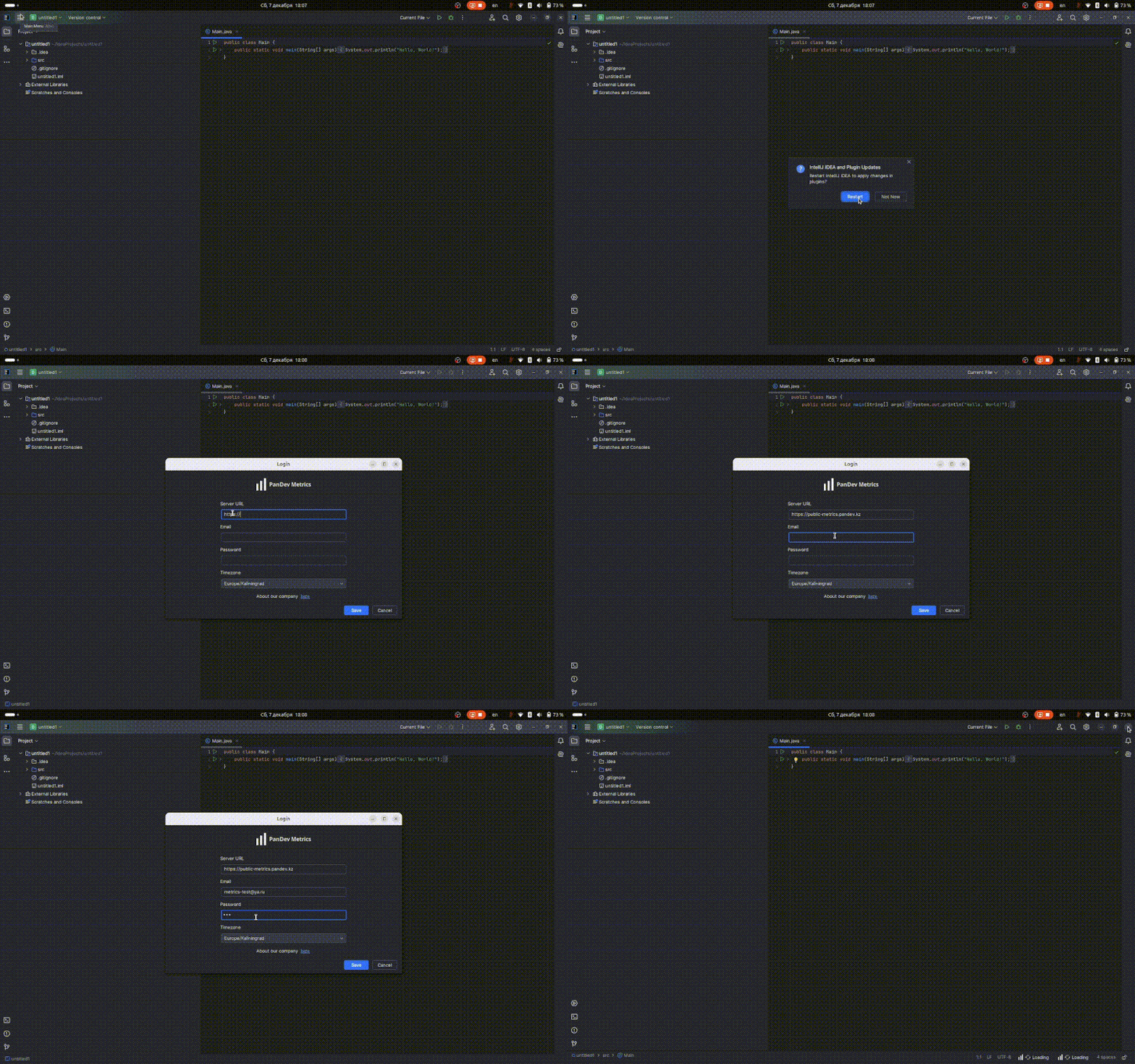
- Click Install and restart the IDE
Configuration
After restarting the IDE, go to Settings → Tools → PanDev Metrics and fill in the connection parameters depending on the deployment type:
SaaS (Corporate Account)
For companies using the cloud version of PanDev Metrics.
| Parameter | Value |
|---|---|
| Server URL | https://metrics-cloud.pandev.io |
| Company Login | Your company identifier |
| Login | Employee login |
| Password | Employee password |
You can find the Company Identifier from your administrator or in the PanDev Metrics platform settings under Settings → Company.
SaaS (Personal Account)
For individual developers using a personal workspace.
| Parameter | Value |
|---|---|
| Server URL | https://metrics-cloud.pandev.io |
| Company Login | leave empty |
| Login | Your email |
| Password | Your password |
When the Company Login field is empty, data is sent to your personal workspace, accessible only to you.
On-Premise (Private Infrastructure)
For companies with their own PanDev Metrics server.
| Parameter | Value |
|---|---|
| Server URL | Your server URL (e.g., https://pandev.company.local) |
| Company Login | leave empty (not used for On-Premise) |
| Login | Employee login |
| Password | Employee password |
Your system administrator provides the server URL and credentials.
Usage
The plugin works in the background:
- Tracks activity in open files and projects
- Automatically sends data to the PanDev Metrics server
- Metrics appear on the dashboard within a few minutes
After configuration, you will see your work metrics on the employee page in PanDev Metrics.