GitHub Integration
PanDev Metrics integrates with GitHub to provide deep insight into your development workflow.
What the Integration Delivers
- Code review assistance – automatic analysis with recommendations during pull request reviews.
- Pull request comments – intelligent annotations with code quality metrics.
- Project isolation – analytics stay scoped to your repositories, preserving privacy.
- Performance metrics – track development velocity and code health in one place.
Setup Steps
Step 1: Create a Service Account
Analytics and report generation for PR creation/updates will be performed on behalf of this account.
Step 2: Grant Access to the Service Account
- Assign the owner role to the service account in all required organizations.
Step 3: Create a Token for the Service Account
- Log in to the service account
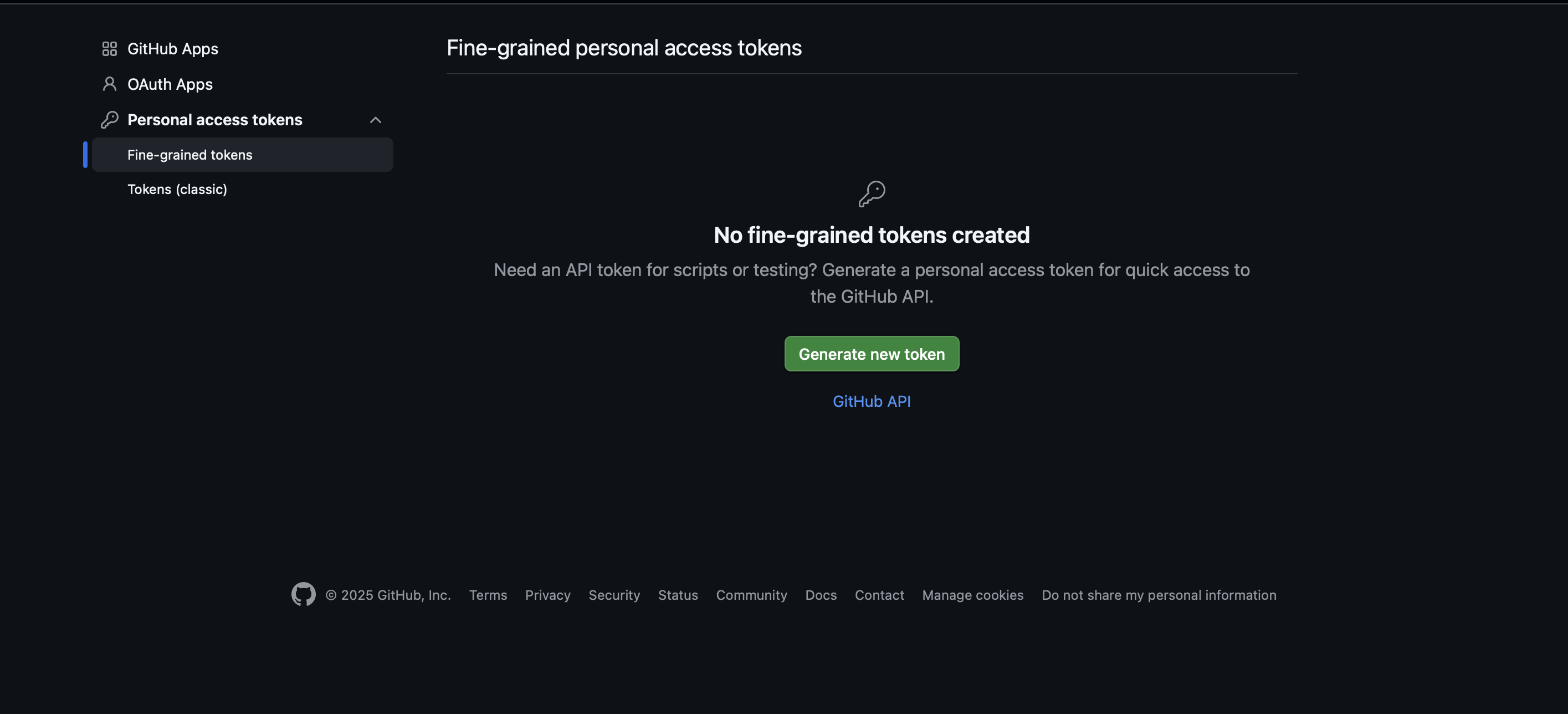
- Go to the token creation page
- Select the token type "Fine-grained personal access tokens"
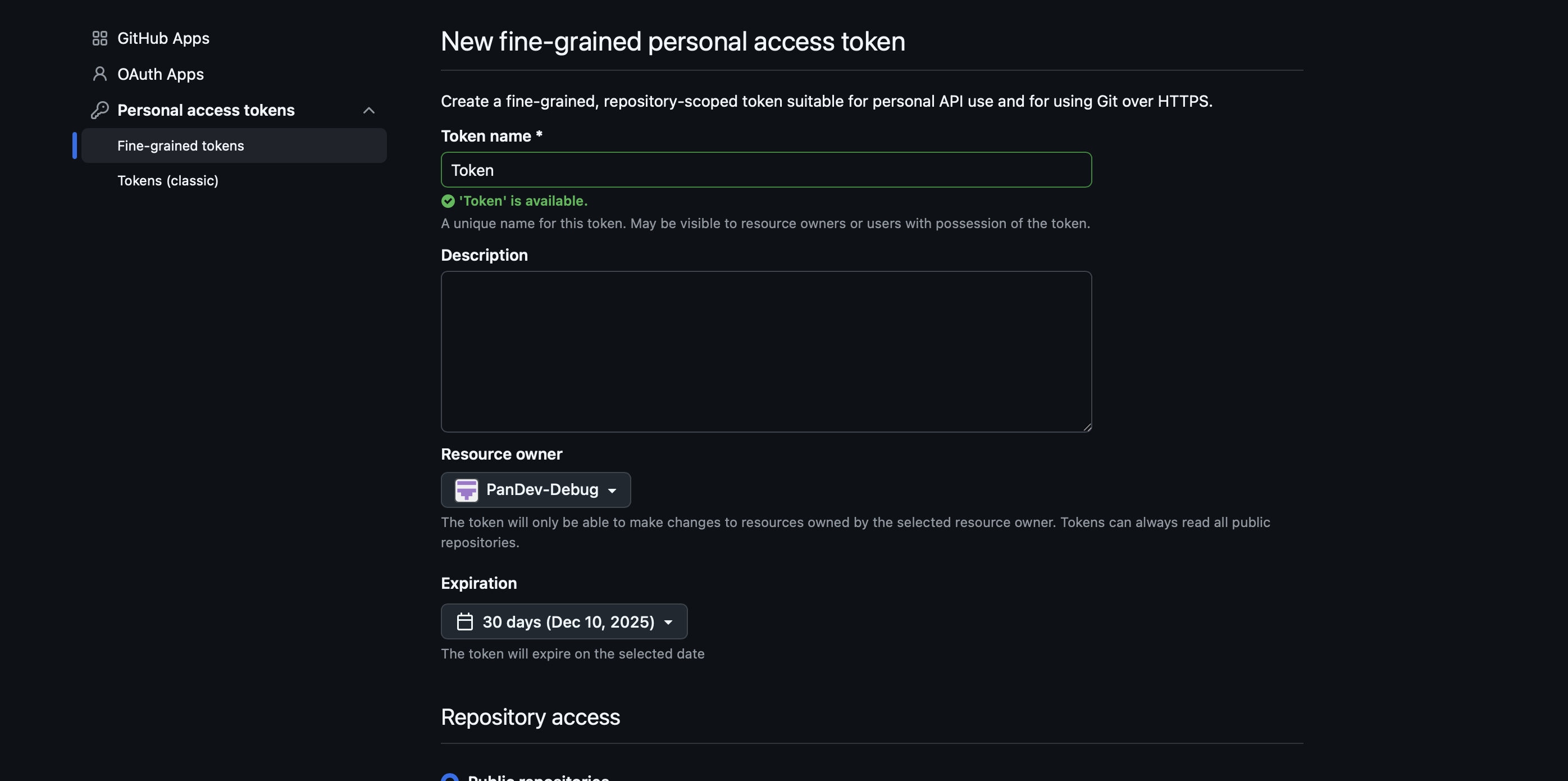
- Choose your organization in "Resource owner"
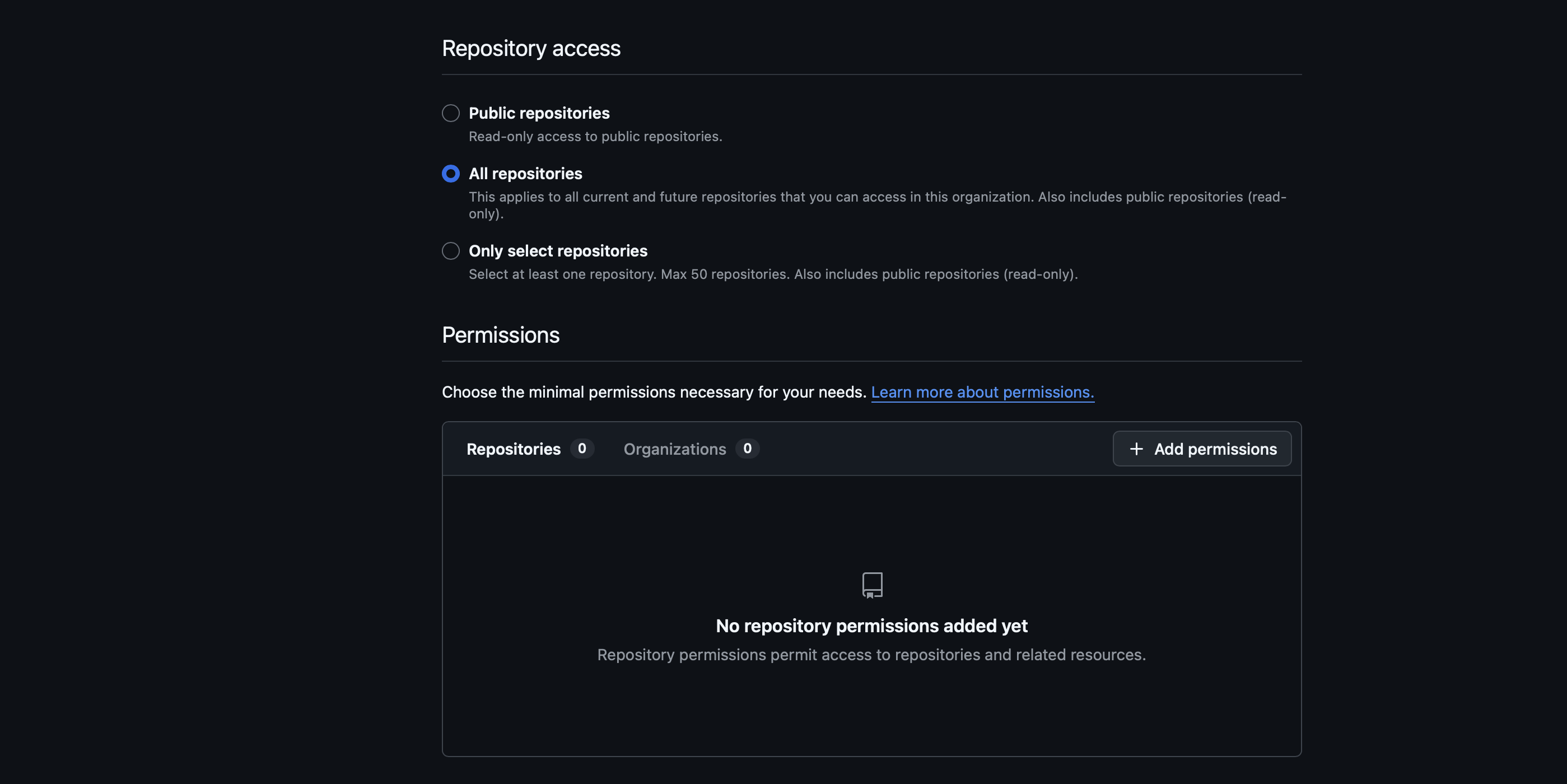
- In the "Permissions" section, specify the required permissions for "Repositories" and "Organizations"
- For "Repositories": Issues - Read and write, Metadata - Read-only, Pull requests - Read and write
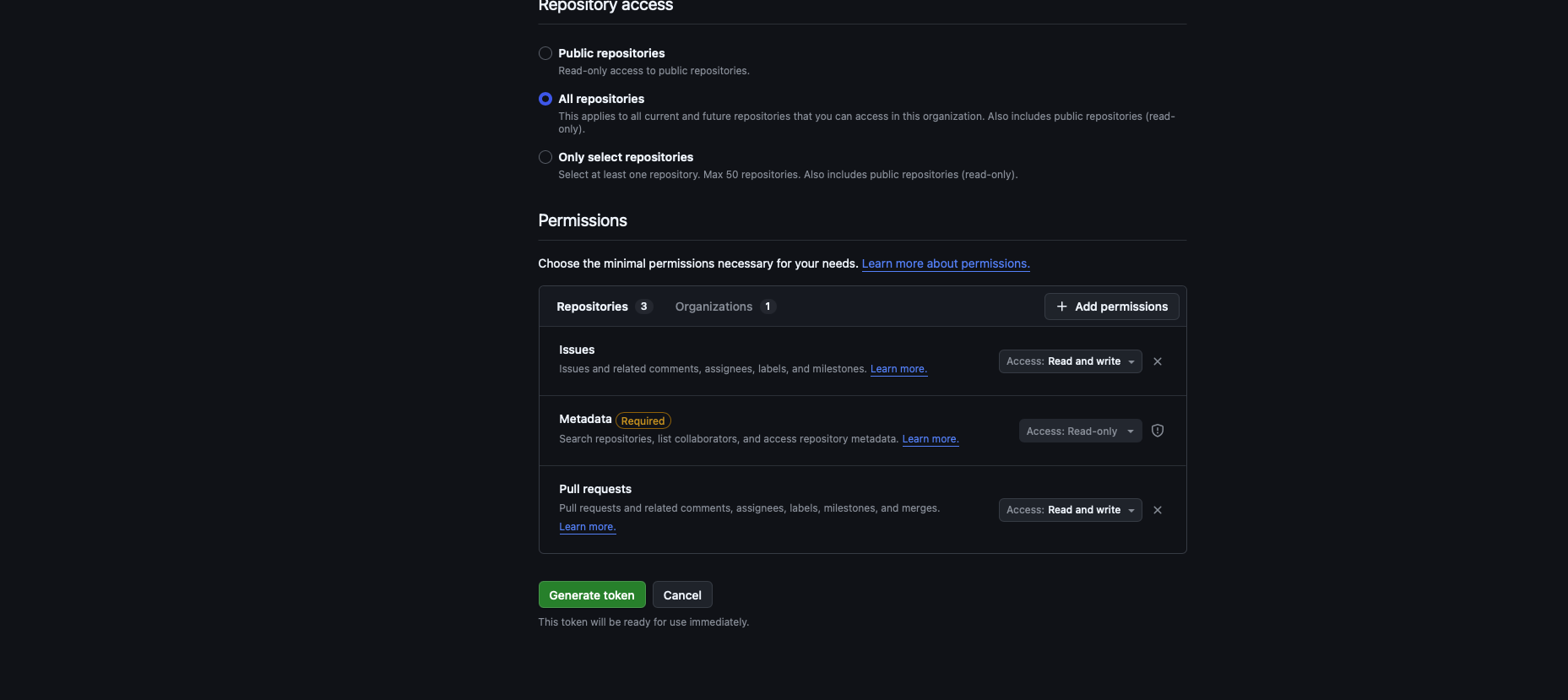
- For "Organizations": Webhooks - Read and write
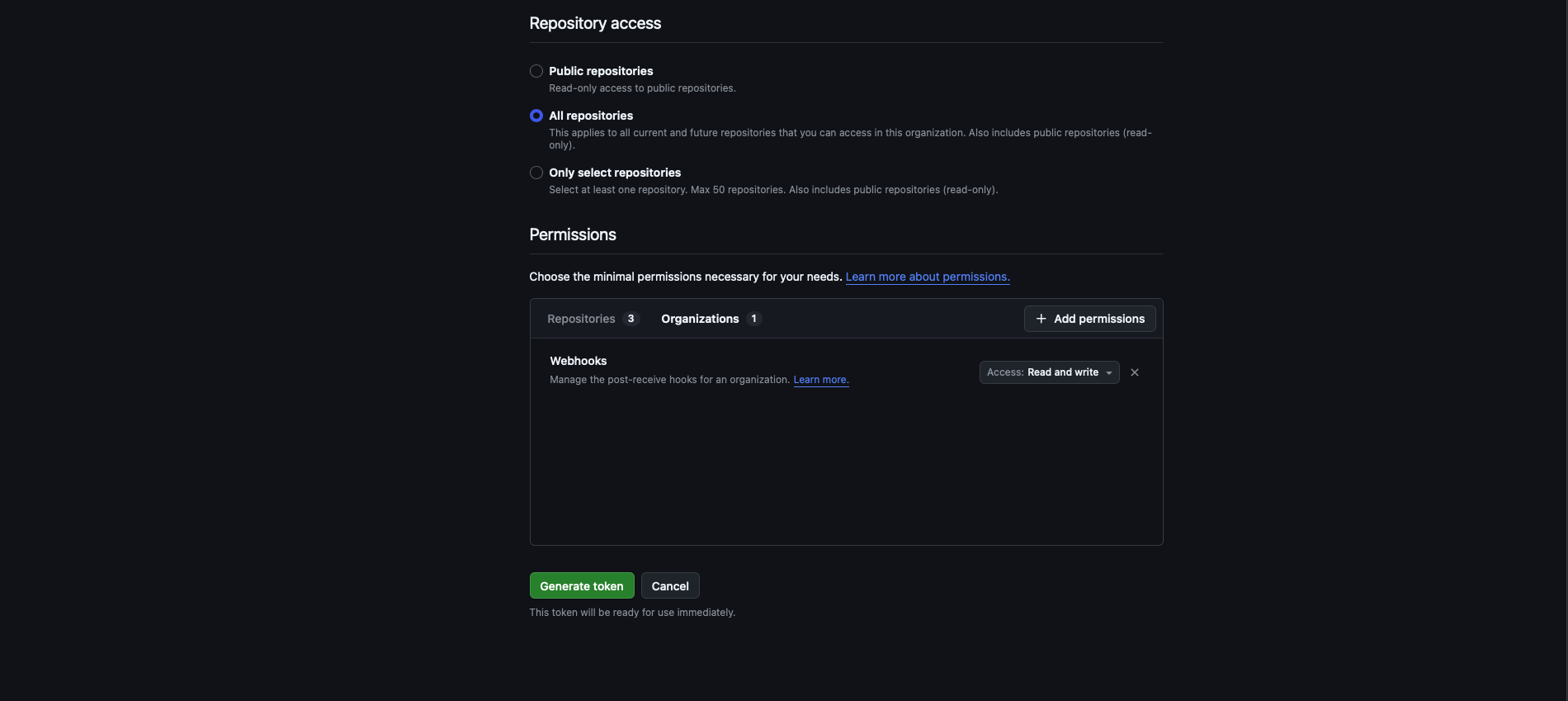
- Then create the token
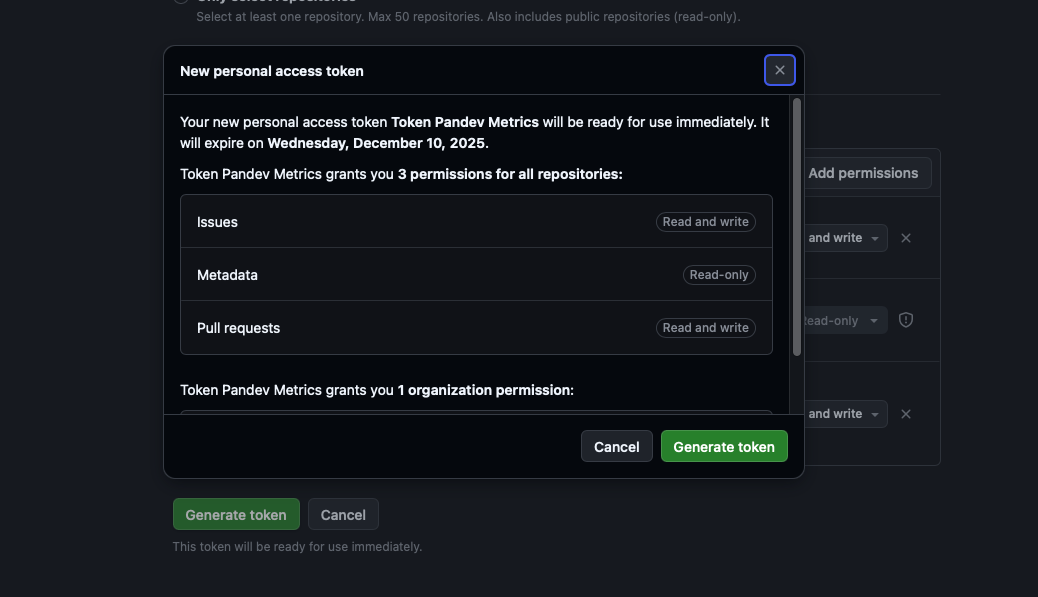
Step 4: Activation
- Insert the token
- Check the connection
- Activate the integration
Metrics Tracked
- Code quality indicators.
- Automated test coverage.
- Code review turnaround time.
- Comment volume and engagement.
- Technical debt signals.
- Engineering productivity metrics.
- Contributor activity analysis.
Need More Detail?
Refer to the full integration guide at /integrations/github.